Deleting your AffloVest Account
Follow the steps below to permanently delete your AffloVest app account or request deletion by email.
Delete Your Account in the App
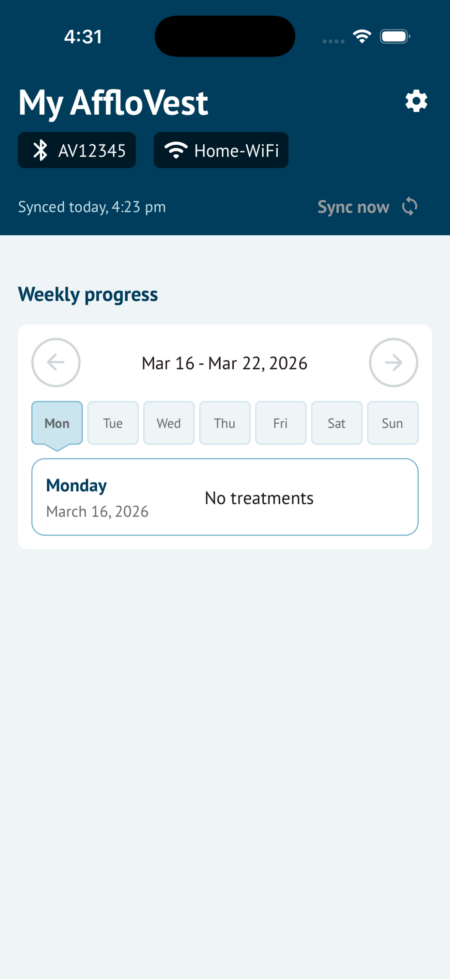
Step 1: Log in to your AffloVest account and tap on the cogwheel in the top-right corner
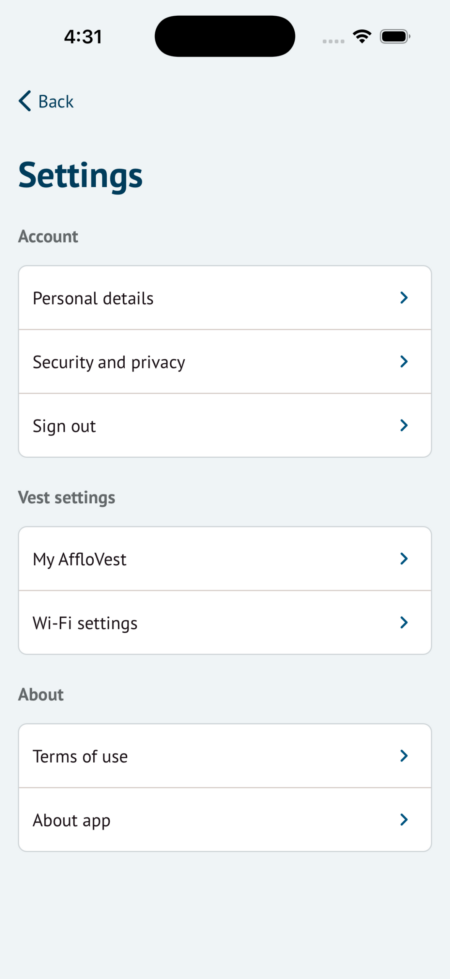
Step 2: Tap on Personal details
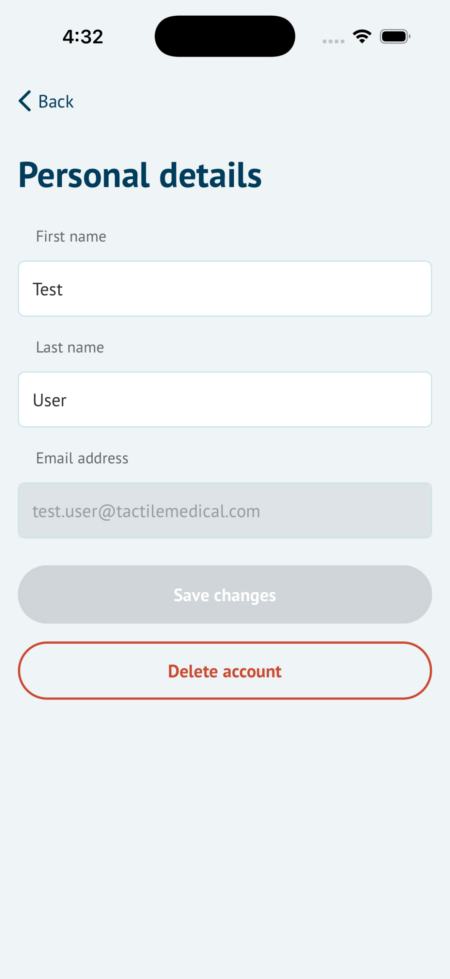
Step 3: Tap on Delete account
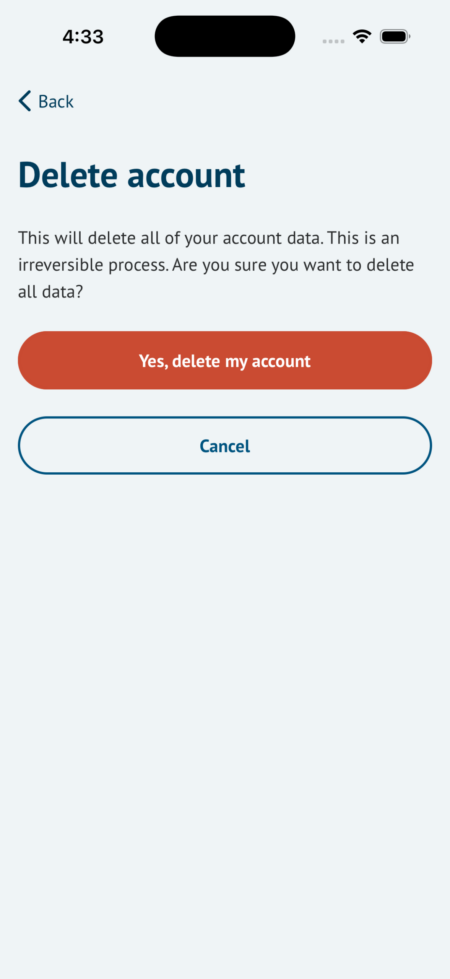
Step 4: Tap on Yes, delete my account
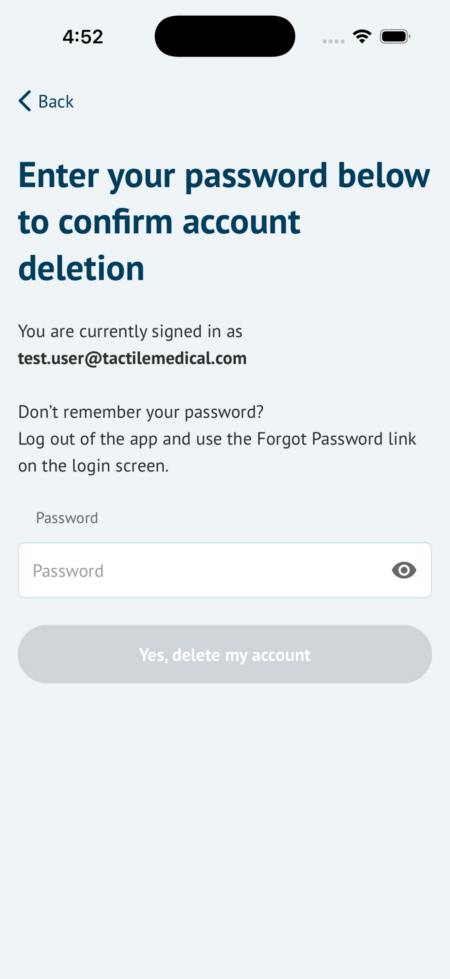
Step 5: Enter your password and tap on Yes, delete my account
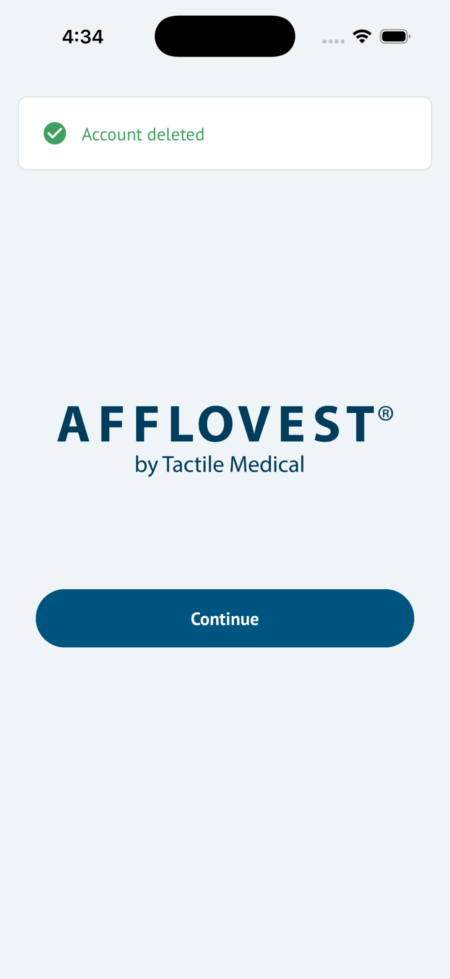
Step 6: You will see a message indicating your account has been deleted
Step 1: Log in to your AffloVest account and tap on the cogwheel in the top-right corner
Log in to the AffloVest application to access settings at the upper right of the screen where a cogwheel is located.
Step 2: Tap on Personal details
From the settings menu, select “Personal details”
Step 3: Tap on Delete account
Select “Delete account” to proceed with the permanent account deletion.
Step 4: Tap on Yes, delete my account
Review the details on the Delete Account screen to understand the impact of deleting the user account. Select “Yes, delete my account” to proceed with account deletion.
Step 5: Enter your password and tap on Yes, delete my account
If the correct password has been entered, the initial screen will display a “Account Deleted” message.
Step 6: You will see a message indicating your account has been deleted
If the correct password has been entered, the initial screen will display the “Account Deleted” message.
Email Us to Delete Your Account
If you prefer help instead of using the in app steps above, you can request deletion of your AffloVest app account and associated data by emailing afflovestinfo@tactilemedical.com.
Please include:
- Your name
- The email address used with your AffloVest app account
- A request to delete your account and data
The Tactile Medical customer service team will process your request and contact you if any additional steps are needed.